| assets | ||
| Adafruit Arcade Bonnet.brd | ||
| Adafruit Arcade Bonnet.sch | ||
| license.txt | ||
| README.md | ||

Adafruit Arcade Bonnet PCB
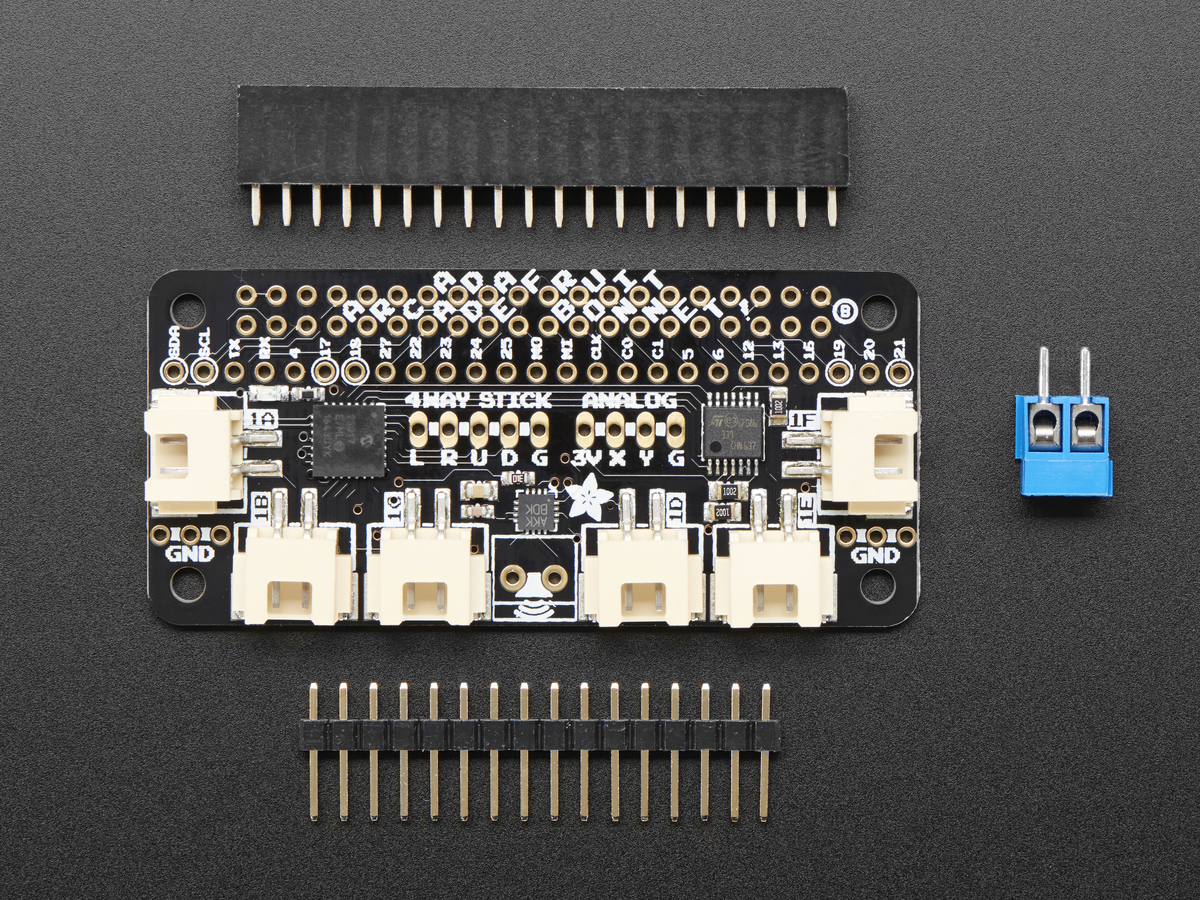
Click here to purchase one from the Adafruit shop
PCB files for the Adafruit Arcade Bonnet. Format is EagleCAD schematic and board layout
Description
Playing retro games is easy on a Raspberry Pi - and that pocket-sized computer is pretty good at it too! All you need is a little help to connect buttons and a joystick up and you can custom design your own arcade console, desktop or stand-up machine, even just a simple controller box. It makes for a fun weekend project that will last all year.
This Adafruit Arcade Bonnet is designed to make small emulator projects a little easier to build. Here's what you can look forward to!
- It is the same size as a Pi Zero, so for really compact builds, this is super small. You can also use it with a Pi 2, 3, B+ or any 2x20 connector Pi.
- It has JST sockets so you can plug in six arcade buttons easily using our quick connects.
- Header breakouts for use with both clicky-type switched joysticks and...
- Header breakout and converter for using analog-type joysticks or thumbsticks with potentiometers inside.
- A 3W digital speaker output that can drive 4-8 ohm speakers for when using with a TV output, audio-less HDMI display or PiTFT. Works even when the Pi doesn't have a headphone jack!
- Switches are all managed with an I2C-GPIO converter with interrupt out. The converter is very fast and frees up all the pins so you can use this Bonnet with a PiTFT or any other accessory/device that uses a lot of pins!
If you don't need an amplified speaker output, analog-joystick input or minimal pin usage, check out our plain-jane Retrogame tutorial which just plugs all the buttons and joysticks right into the Pi directly.
This item as sold as a mini-kit, with a Bonnet and headers that need to be soldered in to attach it to a Raspberry Pi! It only takes a few minutes but soldering iron and solder are required.
Note: The terminal block included with your product may be blue or black.
It also does not come with any of the extras, so you can choose which buttons/joysticks/speaker you want! Here is a list of the items you can use:
Joysticks:
- Small Arcade Joystick
- Mini Analog Joystick
- Assembled 2 Axis Joystick
- Analog Thumbstick
- 2 Axis Joystick
- PSP Analog Joystick
- PSP3000 Analog Joystick
To connect them, you may want some 20 x 12" Female jumper wires.
Speakers:
- 4 ohm 3 Watt speaker
- 8 ohm 1 Watt speaker
- Mono enclosed speaker
- Mini Metal speaker (may need to turn the volume down in Emulation station)
- Thin Plastic speaker (may need to turn the volume down in Emulation station)
Arcade Buttons:
- The JST connectors on the Bonnet mate perfectly with Arcade Button Quick-Connect Wire Pairs.
- Any of our Arcade buttons will work. You can use any switch you like, really – doesn't even need to be a button!
- The translucent 30mm ones work nicely with the quick-connects and are recommended!
Note: Raspberry Pi, arcade buttons, joysticks, speaker, display, and quick-connect wires are NOT included, and must be purchased separately.
Once you've picked out all your buttons and joysticks and stuff, check out our [Getting-started guide](https://learn.adafruit.com/adafruit-arcade-bonnet-for-raspberry-pi to help you get going!
License
Adafruit invests time and resources providing this open source design, please support Adafruit and open-source hardware by purchasing products from Adafruit!
Designed by Limor Fried/Ladyada for Adafruit Industries.
Creative Commons Attribution/Share-Alike, all text above must be included in any redistribution. See license.txt for additional details.